Uninterruptible Power Supplies (UPS) – Essential devices!
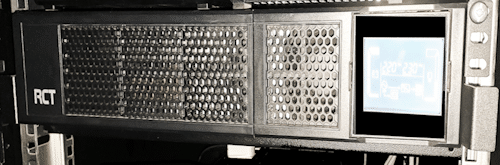
An uninterruptible power supply (UPS) is used to protect critical loads from utility-supplied power problems, including spikes, brownouts, fluctuations and power outages, all using a dedicated battery.
There are three basic functions that it essentially performs:
• Avoids damage to hardware caused by over currents, low voltages and voltage spikes. Many UPS models also continuously regulate the input power.
• Avoids data loss and damage. In fact, without a UPS, data stored on devices subject to sudden shutdowns can be corrupted or completely lost. Operating systems are vulnerable to corruption in the event of sudden shut downs too. If a power management software is also used, the UPS allows and facilitates the controlled shutdown of the system.
• Ensures the availability of networks and other applications while avoiding downtime. When used in conjunction with power generators, they can give enough time to start in the event of a power failure.
Do’s and Don’ts
DO:
- Label UPS outlets (e.g. “Battery Backup”, “Surge Protection Only”. In this way you will ensure you have plugged critical devices into the battery backup.
- Use Energy Saver mode (if available) to extend battery life.
- Keep a log of battery replacement dates.
- Check the manual and replace batteries with the correct types and ratings.
- Use good quality and reliable batteries.
DON’T:
- Assume all UPS models support hot-swappable batteries (check the manual)
- Use the UPS for non-critical devices like lights
#Kilwick IT
#CompuPro
#Power
#UPS